


Launching an online store: catalogue, payments, delivery and test orders
Launch only after the complete order journey works
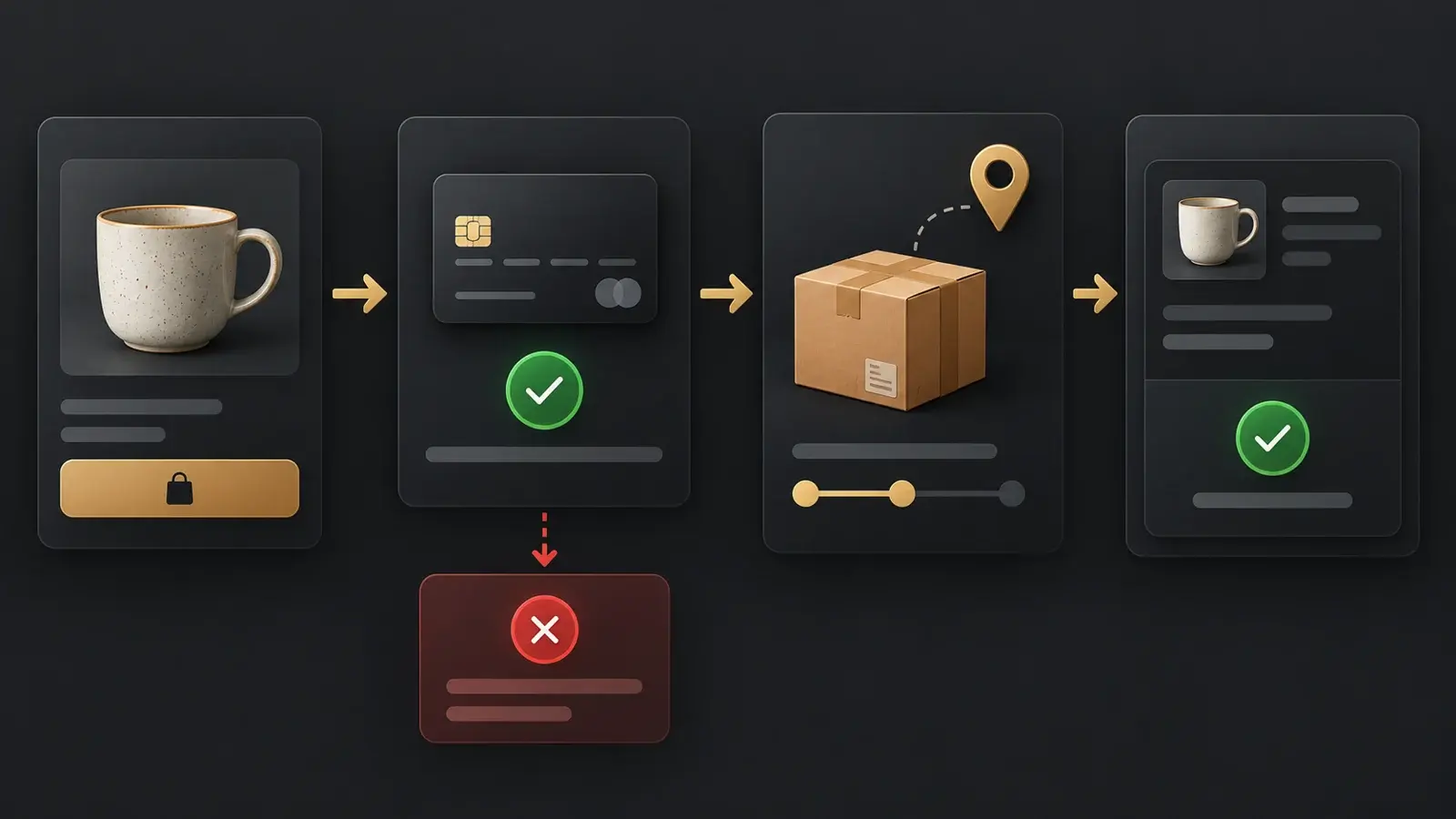
An online store is ready when a customer can find a specific product variant, understand the total and delivery conditions, place an order, and your team can process the correct record. Test the full journey on a phone and a computer, including payment failure and unavailable stock. A thank-you page alone does not prove that money was collected or the order reached your sales system.
- Agree the first-release scope, countries, languages and transaction currency.
- Validate product identifiers, variants, prices, stock and images after import.
- Test payments and delivery using the environments and procedures supported by each provider.
- Match the store order to the customer message and CRM record.
- Record evidence, resolve launch-blocking defects and appoint an operational owner.
1. Define the first release and the people responsible
Ecommerce website development starts with how the business sells. Which products can be ordered, where will you deliver, who maintains availability, and what confirms an order? For a store selling in Moldova, agree the required Romanian and Russian content and actual delivery locations. For a business entering Romania or another European market, name each target country instead of treating Europe as one checkout configuration. International expansion may need different currencies, service areas and support processes.
When comparing an online store development agency in Moldova with a team serving international businesses, compare the same scope. A catalogue, basket and checkout may form the first release; loyalty and complex recommendations can be later work. Record platform subscriptions, external-service costs, access ownership and content responsibilities before estimating online store development.
The website brief checklist helps turn the ambition to build an ecommerce website into observable requirements. Agree what is excluded as well as what is included. The number of product pages says little about the complexity of stock synchronisation, payment states or delivery logic. Avoid choosing a launch date before the catalogue and integration dependencies have owners.
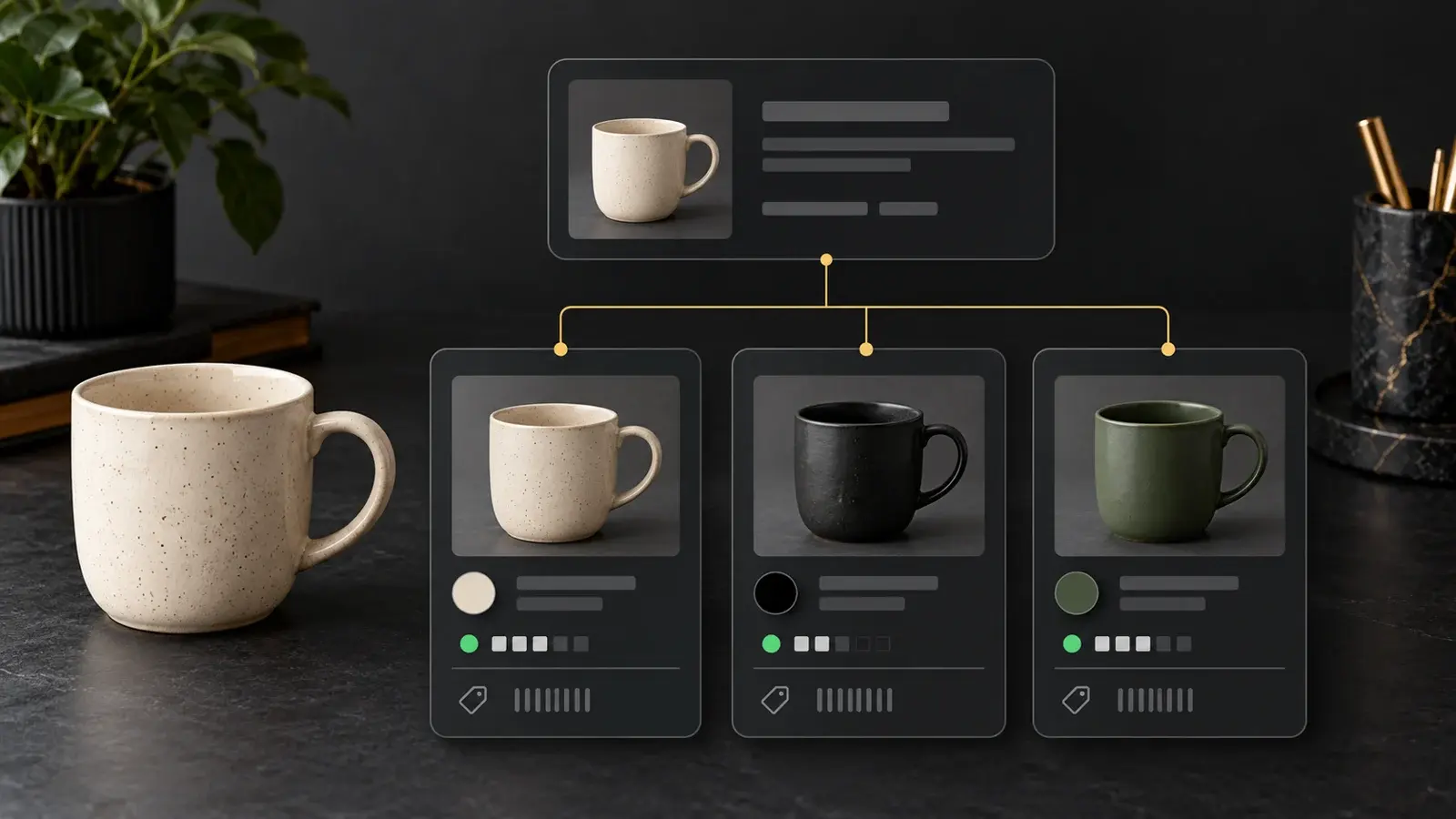
2. Build a catalogue that identifies the exact variant
A product page may describe a family, while each purchasable colour, size or capacity has a distinct stock item. Those variants can carry different identifiers, availability, prices and pictures. A free-text customer note is a weak substitute for a structured selection: fulfilment staff and inventory software need to know exactly what was purchased.
| Data | Decision to make | Acceptance check |
|---|---|---|
| Variant identifier | Unique code and mapping to inventory | The selected code reaches basket and order unchanged |
| Price and currency | Source, discount and rounding rules | Quantity changes produce the expected total |
| Availability | Source and reservation behaviour | Unavailable variants cannot be sold as in stock |
| Images and properties | Variant mapping and measurement units | The photograph and specification match the selection |
Import a small representative sample before the full catalogue: a simple item, a multi-variant item, an out-of-stock item and a discounted item. Check search, filters and category membership. Keep the source file and field mapping so the next import does not duplicate items or overwrite agreed manual changes. Decide which system owns each field when the same value exists in several places.
Product photographs should show the whole item and useful details. Descriptions should explain material, dimensions and use rather than repeat a keyword. Choose filters that help someone make a purchase. Empty or redundant filters increase interface clutter and the number of URLs that need an indexing decision.
3. Treat payment and order status as separate states
A customer may create an order and then abandon the payment screen, receive a decline or try again. Define what the customer and your team see in each case, when stock is reserved and how repeat provider notifications are handled. A return to the store is not a substitute for the payment confirmation required by the integration.
Choose a payment provider based on the actual company's eligibility, currencies and markets. Confirm current onboarding and testing requirements with that provider. Stripe's testing documentation, for example, describes isolated testing and successful and declined payments. This illustrates a testing method; it does not establish that Stripe is available to every merchant or suitable for every country.
- A successful payment updates the intended order once.
- A decline leaves a clear message and a safe retry path.
- A repeated event does not create a second order.
- An incomplete required contact field prevents submission and explains the error.
- Refreshing or returning to checkout does not unexpectedly change basket contents or totals.
For CRM handover, verify order number, contact, variant, quantity, total, delivery selection and payment state. The guide to preparing a website and CRM integration explains the field mapping and failure handling. Agree the behaviour of any external service integrations before testing rather than discovering missing information after launch.
4. Make delivery conditions visible before commitment
Customers need to see the delivery cost and restrictions before confirming the order. Document service areas, methods, available estimates, bulky-item rules and exceptions. If an external service calculates a rate, decide what happens when it fails: show that a quote is unavailable or offer an agreed fallback. Silently replacing a failed quote with free delivery gives the customer misleading information.
Test a supported local address, a remote location, an unsupported country, collection and a multi-item basket. Changing the destination should update the total consistently. For cross-border selling, establish which additional charges are disclosed and who validates the applicable trading conditions. The business supplies payment, delivery and return terms for its actual markets; the website must display the approved version.
Use a simple acceptance example: a customer selects two green cups and a supported delivery address. The order must retain two units of the green variant, the chosen delivery method and the same total displayed before confirmation. These are illustrative inputs, not a carrier tariff or a promise about a merchant's delivery times. Record the expected result before running the test so both parties evaluate the same behaviour.
5. Run test orders with an acceptance record
Use the published address or an agreed environment configured for the release. Follow the payment provider's test-mode procedure rather than using real financial details to imitate failures. Mark sample orders and messages so operations staff do not fulfil them as real purchases. A screenshot of the checkout button is not evidence of a completed transaction chain.
| Scenario | Expected behaviour | Evidence |
|---|---|---|
| Successful purchase | One order, correct variant, amount and state | Order ID and matching test transaction |
| Payment decline | No false paid state; retry remains available | Order status and customer message |
| Unavailable item | Sale follows the agreed stock restrictions | Product state and checkout result |
| Unsupported delivery | Restriction is shown before confirmation | Destination, message and basket total |
| Repeated notification | No duplicate order or message | Single record and processing log |
| Phone and another language | Fields, errors, actions and emails work in the selected language | Device, language and recorded outcome |
Give every test a status, owner and retest date. Lost orders, wrong totals and unusable payment paths should block release until corrected. Minor visual issues can be scheduled separately if they do not obstruct purchasing, but that decision should be explicit. Include a recovery route for service outages and define who receives alerts outside the development team's working hours.
6. Check discoverability and operational handover
Categories and products need clear URLs, useful titles and page-specific descriptions. Review indexing, canonical URLs, language equivalents, removed products and filter behaviour. Do not make every parameter combination indexable by default. Use the pre-launch SEO checklist to organise the checks and record exceptions.
Google's Product structured-data guidance describes how product and offer information can be supplied. Markup must agree with the visible price and availability. It does not guarantee an enhanced search appearance, and it cannot fix an incorrect product source. Verify the underlying page first.
Hand over instructions for catalogue changes, stock, order processing and failures. Appoint someone to monitor the first genuine orders and customer messages. Ongoing integration checks and ecommerce website support keep the store usable as products and services change. Launch is the end of preparing a first release, not the end of maintaining the sales process.
